
1. Access to Audit Trail
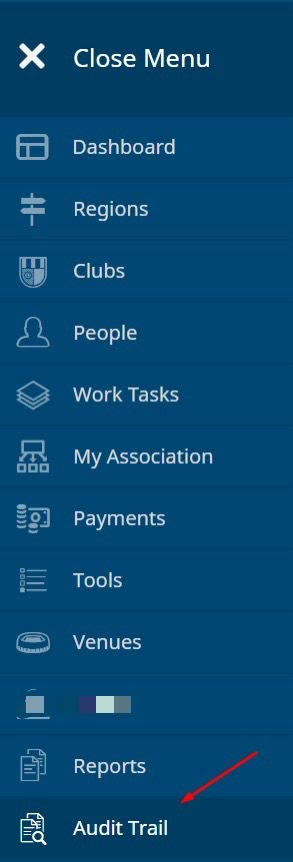
When logged in click on the ‘Audit Trail’ option through the menu.
Audit Trail allows you to trace every action that was done on the environment from each level you access to it.
If you are on the MA level, it will only show you the audit trail of the MA level, equally for the
RA, DA, Club, or Person levels, the information provided only concerns the level you accessed it from.
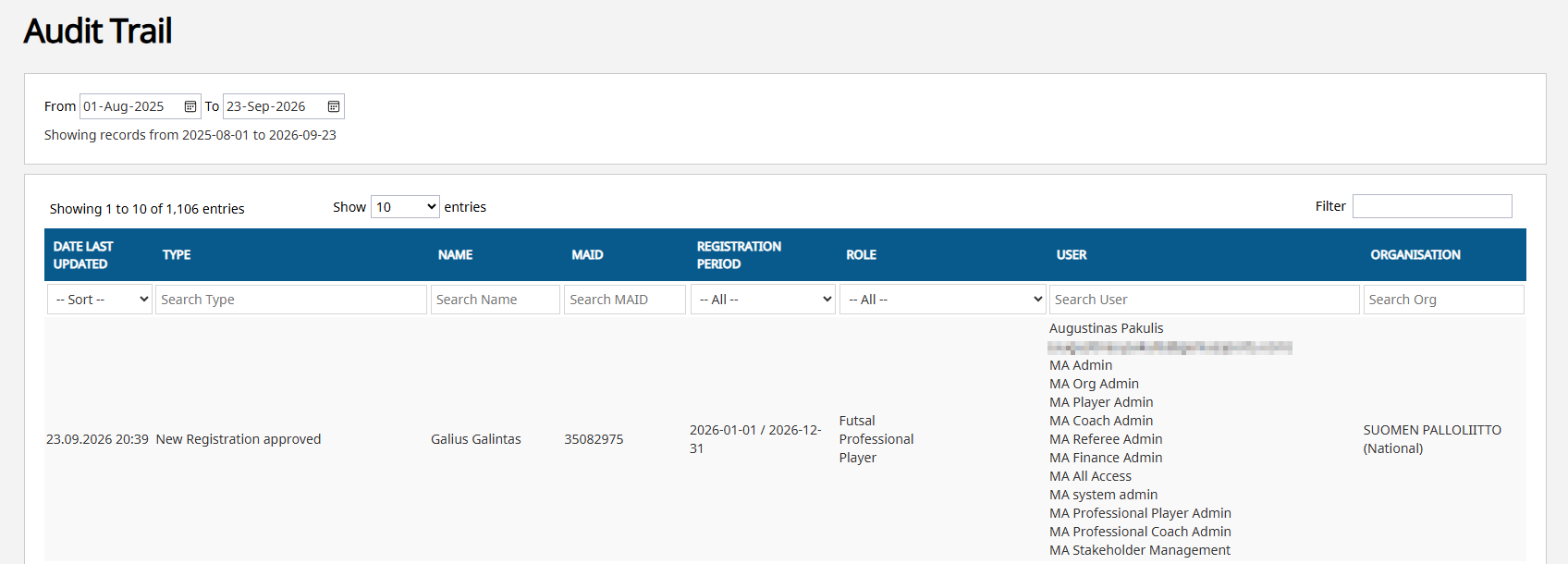
Through the Audit Trail, you can find information about tasks previously performed, including the date and time when an action was completed.
Date Filter
The Audit Trail includes From and To date filters, which allow you to specify the period for which you want to view audit trail records.
By default, the date range is set from one year ago to the current date. You can change the From and To dates using the date pickers.
Once the date range is selected, the Audit Trail will display the records within the specified period.
Filter
You can also use the Filter field above the Audit Trail table to narrow down the displayed results based on the information you are looking for.
The search fields available under the individual columns can also be used to search for specific information, such as Type, Name, MAID, User, Organisation etc.